Documentation


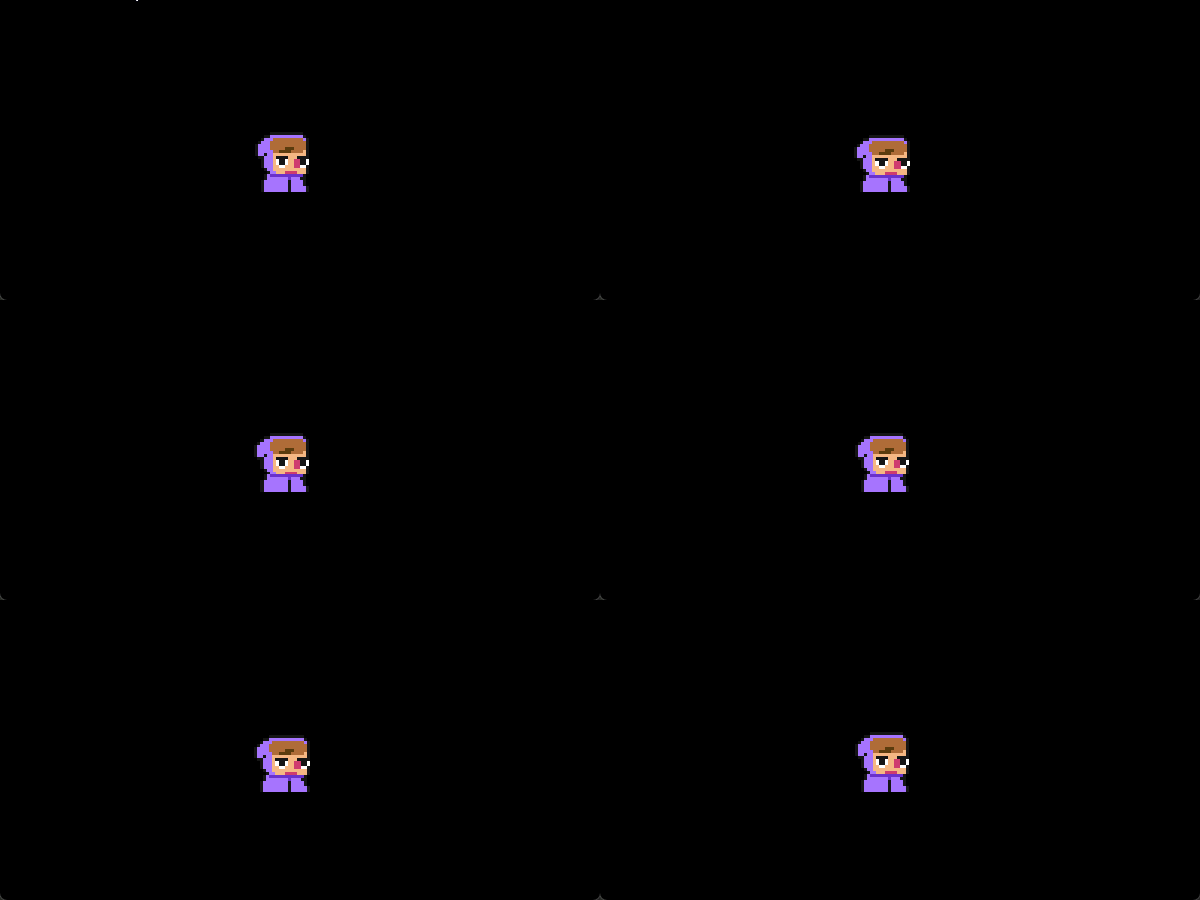
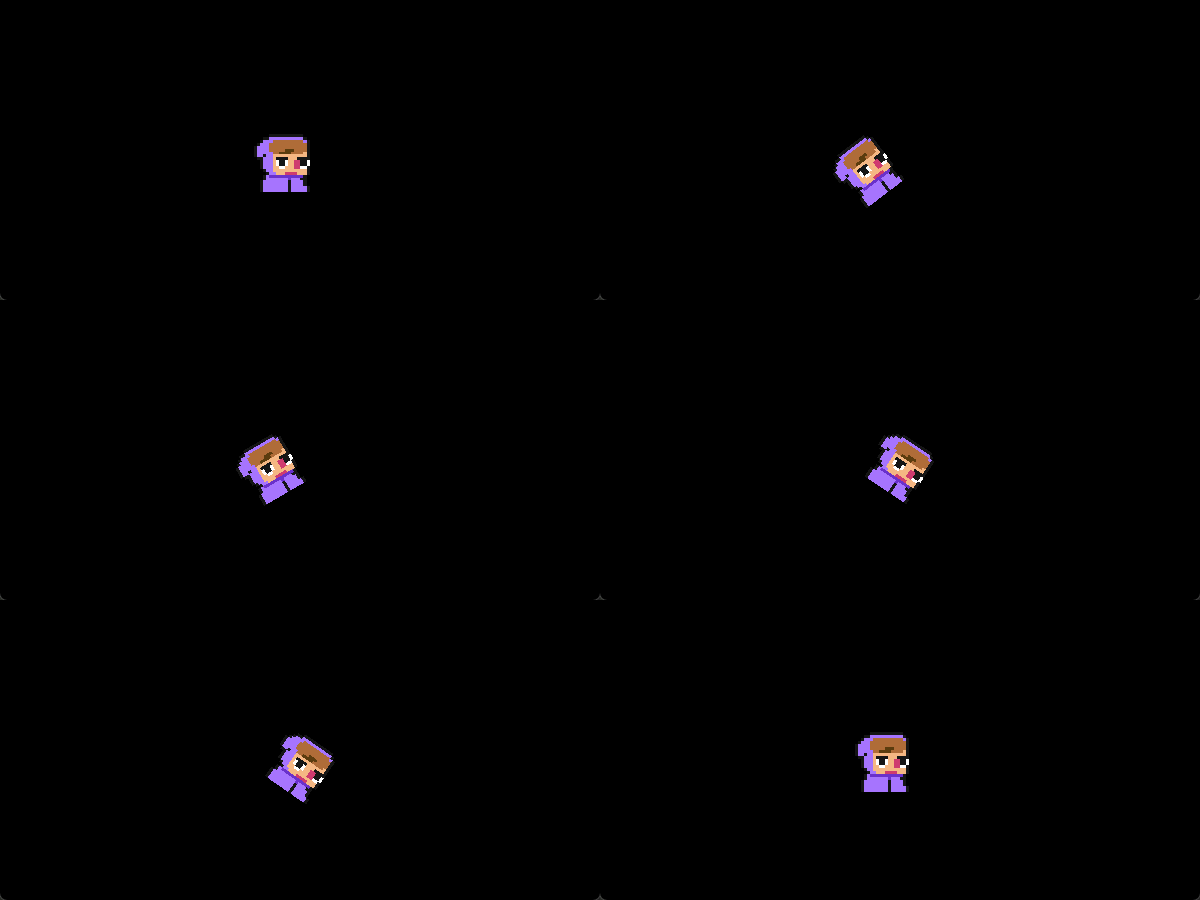
SuperSprite Documentation
SuperSprite is a lightweight sprite controller that sits on top of GameMaker’s normal sprite system. It:
-
Plays and restarts sprite animations
-
Lets you attach callbacks to specific frames
-
Adds procedural transform effects (offsets, scale, rotation, alpha) via animcurves
-
Supports separate local and world offsets
-
Lets you define custom scale and rotation pivot points
It is meant to be a small, reusable wrapper so you do not have to rewrite animation and squash/stretch logic for every object.
Basic Usage
Set up your object like this:
// Create Event
spr = new SuperSprite(spr_player);
// Step or End Step Event
spr.update();
// Draw
Event spr.draw(x, y);
From there, you can swap animations, hook into frames, and apply effects:
// Play a new animation
spr.play(spr_player_jump, false);
// Add a simple frame callback
spr.on_frame_once(3, function() {     audio_play_sound(snd_step, 1, false); });

// Apply a quick effect
spr.squish(40, 1);
Concepts
Sprite vs SuperSprite
-
SuperSpritewraps a sprite asset and trackssprite_index,image_index,speed, andlooping. -
You call
update()every step to advance animation and effects. -
You call
draw(...)in Draw to apply all transforms and render.
Sprite_Effect and animcurves
-
Each effect channel (
xoffset,angle_offset,alpha_offset, and so on) is aSprite_Effectinstance. -
Sprite_Effectevaluates an animcurve calledac_super_sprite_effects. -
Each named channel like
"squish","blink","elastic_from","arc","zero"must exist as a channel on that animcurve. -
Effects run over normalized time 0 to 1 and are scaled by a magnitude value.
Local vs world offsets
-
xoffsetandyoffsetare local offsets, applied in the sprite’s rotated space. -
world_xoffsetandworld_yoffsetare world offsets, applied after rotation and pivot compensation. -
Use local offsets for things that should move with the sprite’s facing.
-
Use world offsets for simple screen-space nudges.
Scale and rotation origins
-
scale_origin_x,scale_origin_y,rotate_origin_x, androtate_origin_yare UV coordinates from 0 to 1. -
These define compensation for scaling and rotation so the sprite appears to pivot around that point instead of its original origin.
-
The default is center bottom (0.5, 1.0) for both, which works well for grounded characters.
Frame callbacks
-
You can register callbacks that fire when the animation hits specific frames.
-
SuperSprite walks from the previous frame to the current frame and calls any frame callbacks in between.
-
This works even if
speedis high and you skip frames in a single step.
SuperSprite API
SuperSprite(_sprite = sprite_index, [_looping = true])
Constructor for a new SuperSprite instance bound to a starting sprite and looping mode. It initializes animation state, color/alpha, effect channels, and default pivot settings.
Arguments and return
-
_sprite
Sprite asset to control. Defaults to the instance’s currentsprite_index. -
_looping
Whether the animation should loop when it reaches the last frame. -
Returns a new SuperSprite instance.
Example
spr = new SuperSprite(spr_idle);
set_scale_origin(_u, _v)
Sets the UV pivot point used for scaling. This controls where squashes and stretches appear to hinge from.
Arguments and return
-
_u
Horizontal UV coordinate, 0 to 1. -
_v
Vertical UV coordinate, 0 to 1. -
Returns
selffor method chaining.
Example
spr.set_scale_origin(0.5, 1.0); // scale around the bottom-center of the sprite
set_rotate_origin(_u, _v)
Sets the UV pivot point used for rotation. Rotation and scale pivots can be different if needed.
Arguments and return
-
_u
Horizontal UV coordinate, 0 to 1. -
_v
Vertical UV coordinate, 0 to 1. -
Returns
self.
Example
spr.set_rotate_origin(0.5, 1.0); // rotate around the bottom-center of the sprite
play(_sprite, _looping = true, _on_animation_end = function(){}, _override = false)
Starts playing a sprite animation on this SuperSprite. If the same sprite is already playing, it only restarts when _override is true. Also sets the animation end callback and clears any existing frame callbacks.
Arguments and return
-
_sprite
Sprite asset to play. -
_looping
Whether to loop when the animation hits the last frame. -
_on_animation_end
Function to call when a non looping animation finishes. -
_override
If true, force restart even if the sprite is already active. -
Returns
self.
Example
spr.play( spr_player_jump, false, function() { spr.play(spr_player_idle); } );
restart()
Restarts the current animation from frame 0 and resets speed from the sprite’s playback speed.
Arguments and return
-
None.
-
Returns
self.
Example
if (keyboard_check_pressed(vk_space)) { spr.restart(); }
on_animation_end
Function field that runs when a non looping animation reaches its final frame. Normally set through play, but you can assign it directly if you prefer.
Arguments and return
-
Assign a function that takes no arguments.
-
SuperSprite ignores any return value.
Example
spr.on_animation_end = function() { spr.play(spr_idle); }; spr.play(spr_attack, false);
add_frame_callback(_frame, _fn, _once)
Registers a callback to run when the animation crosses the specified frame. If _once is true, the callback is removed after it fires.
Arguments and return
-
_frame
Target frame index (0 based). -
_fn
Function to call when that frame is reached. -
_once
Boolean, true for one shot, false for repeating. -
Returns
self.
Example
spr.add_frame_callback(2, function() { audio_play_sound(snd_footstep, 1, false); }, true);
on_frame(_frame, _fn)
Convenience wrapper around add_frame_callback that always keeps the callback. The callback will run every time the animation passes that frame.
Arguments and return
-
_frame
Target frame index. -
_fn
Callback function. -
Returns
self.
Example
spr.on_frame(0, function() {
// Fire every time the animation loops to frame 0
});
on_frame_once(_frame, _fn)
Convenience wrapper around add_frame_callback that makes a callback run once, then removes itself.
Arguments and return
-
_frame
Target frame index. -
_fn
Callback function. -
Returns
self.
Example
spr.on_frame_once(3, function() { instance_create_layer(x, y, "Effects", obj_hit_flash); });
clear_frame_callbacks()
Clears all previously registered frame callbacks. This is called automatically when play starts a new animation, but you can also call it manually.
Arguments and return
-
None.
-
Returns
self.
Example
spr.clear_frame_callbacks(); spr.play(spr_attack, false);
Built in Effect Helpers
These helper methods wrap the underlying effect system to give you common motions with one call.
Effect channel names like"blink","squish","elastic_from","arc", and"one"must exist onac_super_sprite_effects.
blink(_time = 20)
Applies a temporary alpha effect, usually used for damage flashes or invincibility blinking.
Arguments and return
-
_time
Duration in frames. -
Returns
self.
Example
spr.blink(20);
unblink()
Stops the alpha effect on alpha_offset and restores normal alpha behaviour.
Arguments and return
-
None.
-
Returns
self.
Example
if (!player_is_hurt) { spr.unblink(); }
wave(_time = 240, _scale = 45, _callback)
Applies a looping rotation effect through the "wave" angle channel. Works well for gentle wobble or hovering motions.
Arguments and return
-
_time
Frames per cycle. -
_scale
Rotation magnitude multiplier in degrees. -
_callback
Optional callback per loop. -
Returns
self.
Example
spr.wave(240, 15);
breathe(_time = 240, _scale = .05, _callback)
Applies subtle scale changes on X and Y to give a breathing or pulsing idle effect.
Arguments and return
-
_time
Frames per cycle. -
_scale
Base scale amount. X and Y use slightly different values internally. -
_callback
Optional callback for the xscale channel loop. -
Returns
self.
Example
spr.breathe(240, 0.05);
squish(_time = 40, _scale = 1, _callback = -1)
Applies a quick squash and stretch via "squish" channels on x and y scale offsets.
Arguments and return
-
_time
Frames for the effect. -
_scale
Strength of the squish. -
_callback
Optional callback for the xscale animation. -
Returns
self.
Example
spr.squish(20, 0.8);
spin(_time = 60, _scale = -360)
Applies a one shot spin using the "one" angle channel.
Arguments and return
-
_time
Frames for the full spin. -
_scale
Total degrees of rotation over the curve. -
Returns
self.
Example
spr.spin(30, -360);
shove(_time = 60, _x = 0, _y = 0, _callback = -1)
Applies an elastic local offset using the "elastic_from" channel on x and y offsets. This feels like a shove, recoil, or hit impulse.
Arguments and return
-
_time
Frames for the effect. -
_x
Horizontal shove magnitude. -
_y
Vertical shove magnitude. -
_callback
Optional callback for the xoffset animation. -
Returns
self.
Example
spr.shove(30, -4, 0);
flick(_time = 30, _angle = 45, _callback = -1)
Applies an elastic rotation using "elastic_from" on the angle, useful for head flicks or hit shakes.
Arguments and return
-
_time
Frames for the effect. -
_angle
Rotation magnitude in degrees. -
_callback
Optional callback. -
Returns
self.
Example
spr.flick(20, 20);
jump(_time = 25, _magnitude = -15)
Combines a small squish with a vertical "arc" yoffset effect to create a cartoony jump feel.
Arguments and return
-
_time
Frames for the jump arc. -
_magnitude
Peak vertical offset. Negative usually moves upward. -
Returns
self.
Example
spr.jump(25, -12);
Generic Effect API
apply_effect(_effect_name, _channel, _frames, _magnitude, _loop = false, _callback = -1)
Core helper that routes to the appropriate Sprite_Effect and starts it with the given channel, timing, and magnitude.
Arguments and return
-
_effect_name
Which effect to control:
"xoffset","yoffset","world_xoffset","world_yoffset","xscale","yscale","angle","alpha". -
_channel
Animcurve channel name inac_super_sprite_effects. -
_frames
Frames for a full 0–1 cycle. -
_magnitude
Multiplier applied to the channel’s value. -
_loop
If true, usesset_animation_loop. If false, usesset_animation. -
_callback
Optional callback passed to the Sprite_Effect. -
Returns
self.
Example
spr.apply_effect("xoffset", "elastic_from", 30, 8, false);
apply_xoffset_effect(_channel, _frames, _magnitude, _loop = false, _callback = -1)
Starts an xoffset effect without having to specify the effect name string.
Arguments and return
-
_channel
Animcurve channel name. -
_frames
Frames per cycle. -
_magnitude
Magnitude multiplier. -
_loop
Whether to loop. -
_callback
Optional callback. -
Returns
self.
Example
spr.apply_xoffset_effect("elastic_from", 20, 5);
apply_yoffset_effect(_channel, _frames, _magnitude, _loop = false, _callback = -1)
Same as apply_xoffset_effect but for yoffset.
Arguments and return
-
_channel
Animcurve channel name. -
_frames
Frames per cycle. -
_magnitude
Magnitude multiplier. -
_loop
Whether to loop. -
_callback
Optional callback. -
Returns
self.
Example
spr.apply_yoffset_effect("elastic_from", 20, -4);
apply_world_xoffset_effect(_channel, _frames, _magnitude, _loop = false, _callback = -1)
Controls world_xoffset for world space motion.
Arguments and return
-
_channel
Animcurve channel name. -
_frames
Frames per cycle. -
_magnitude
Magnitude multiplier. -
_loop
Whether to loop. -
_callback
Optional callback. -
Returns
self.
Example
spr.apply_world_xoffset_effect("wave", 120, 4, true);
apply_world_yoffset_effect(_channel, _frames, _magnitude, _loop = false, _callback = -1)
Controls world_yoffset.
Arguments and return
-
_channel
Animcurve channel name. -
_frames
Frames per cycle. -
_magnitude
Magnitude multiplier. -
_loop
Whether to loop. -
_callback
Optional callback. -
Returns
self.
Example
spr.apply_world_yoffset_effect("wave", 120, 4, true);
apply_xscale_effect(_channel, _frames, _magnitude, _loop = false, _callback = -1)
Controls xscale offset via xscale_offset.
Arguments and return
-
_channel
Animcurve channel name. -
_frames
Frames per cycle. -
_magnitude
Magnitude multiplier. -
_loop
Whether to loop. -
_callback
Optional callback. -
Returns
self.
Example
spr.apply_xscale_effect("squish", 20, 0.4);
apply_yscale_effect(_channel, _frames, _magnitude, _loop = false, _callback = -1)
Controls yscale offset via yscale_offset.
Arguments and return
-
_channel
Animcurve channel name. -
_frames
Frames per cycle. -
_magnitude
Magnitude multiplier. -
_loop
Whether to loop. -
_callback
Optional callback. -
Returns
self.
Example
spr.apply_yscale_effect("squish", 20, -0.6);
apply_angle_effect(_channel, _frames, _magnitude, _loop = false, _callback = -1)
Controls rotation offset via angle_offset.
Arguments and return
-
_channel
Animcurve channel name. -
_frames
Frames per cycle. -
_magnitude
Magnitude multiplier in degrees. -
_loop
Whether to loop. -
_callback
Optional callback. -
Returns
self.
Example
spr.apply_angle_effect("wave", 240, 10, true);
apply_alpha_effect(_channel, _frames, _magnitude, _loop = false, _callback = -1)
Controls alpha offset via alpha_offset.
Arguments and return
-
_channel
Animcurve channel name. -
_frames
Frames per cycle. -
_magnitude
Magnitude multiplier. -
_loop
Whether to loop. -
_callback
Optional callback. -
Returns
self.
Example
spr.apply_alpha_effect("blink", 20, 1);
stop_effect(_effect_name)
Stops one specific effect by switching it to the "zero" channel instantly.
Arguments and return
-
_effect_name
One of"xoffset","yoffset","world_xoffset","world_yoffset","xscale","yscale","angle","alpha". -
Returns
self.
Example
spr.stop_effect("xoffset");
reset_effect()
Stops all effect channels and resets their values to zero. Useful for hard resets like respawns or state changes.
Arguments and return
-
None.
-
Returns
self.
Example
spr.reset_effect();
Update and Draw
update()
Advances the sprite animation, handles looping, calls on_animation_end, processes frame callbacks, and updates all Sprite_Effect channels.
Arguments and return
-
None.
-
Returns nothing; acts for side effects.
Example
// End Step Event
spr.update();
draw(_x, _y, _xscale = 1, _yscale = 1, _angle = 0, _blend = c_white, _alpha = 1)
Draws the SuperSprite to the screen with all of its current state:
-
Base xscale and yscale with offsets applied
-
Base angle plus angle offset
-
Base alpha with alpha offset factored in
-
Local shove that respects rotation
-
World offsets
-
Pivot compensation so scale and rotation use your defined origins
Arguments and return
-
_x,_y
Base world position. -
_xscale,_yscale
Base scale, defaults to 1 on both axes. -
_angle
Base rotation in degrees, default 0. -
_blend
Blend color fordraw_sprite_ext. -
_alpha
Base alpha multiplier. -
Returns nothing; draws to the screen.
Example
// Draw flipped horizontally
spr.draw(x, y, -1, 1);
Sprite_Effect API
Each SuperSprite has several Sprite_Effect instances. You can also use Sprite_Effect on its own if you want custom curve driven values elsewhere.
Sprite_Effect()
Constructor for a Sprite_Effect that reads from ac_super_sprite_effects.
Arguments and return
-
None.
-
Returns a new Sprite_Effect instance.
Example
jump_effect = new Sprite_Effect();
jump_effect.set_animation("arc", 25, -16);
update()
Evaluates the current animcurve channel at time, sets value, advances time by step, and handles looping or completion callbacks.
Arguments and return
-
None.
-
Returns nothing; updates internal state.
Example
jump_effect.update(); var y_offset = jump_effect.value;
set_animation(_channel, _frames, _magnitude_value, _callback = -1)
Starts a one shot animation on a given curve channel.
Arguments and return
-
_channel
String channel name onac_super_sprite_effects, for example"squish","arc", or"elastic_from". -
_frames
Frames from start to end (0 to 1). -
_magnitude_value
Magnitude multiplier for the channel. -
_callback
Optional callback that runs when time reaches the end (from below 1 to 1). -
Returns
self.
Example
jump_effect.set_animation("arc", 25, -12);
set_animation_loop(_channel, _frames, _magnitude_value, _callback = -1)
Starts a looping animation on a given channel. Each time the loop wraps, it can call the callback.
Arguments and return
-
_channel
Animcurve channel name. -
_frames
Frames per loop. -
_magnitude_value
Magnitude multiplier. -
_callback
Optional callback per loop. -
Returns
self.
Example
hover_effect = new Sprite_Effect();
hover_effect.set_animation_loop("wave", 120, 4);
stop()
Resets the effect to "zero", clears magnitude and time, disables looping, and sets value to 0.
Arguments and return
-
None.
-
Returns
self.
Example
hover_effect.stop();
Leave a comment
Log in with itch.io to leave a comment.